Guides
SFTP
Transfer files via SFTP
What is SFTP?
SFTP (SSH File Transfer Protocol) is a protocol that allows you to transfer files to or from a server. Here is a guide explaining how to use it with your Orion servers.
SFTP Transfer
Install a SFTP software on your computer.
We recommend FileZilla Client: https://filezilla-project.org/download.php?type=client
Go to the settings page to obtain the SFTP connection link.
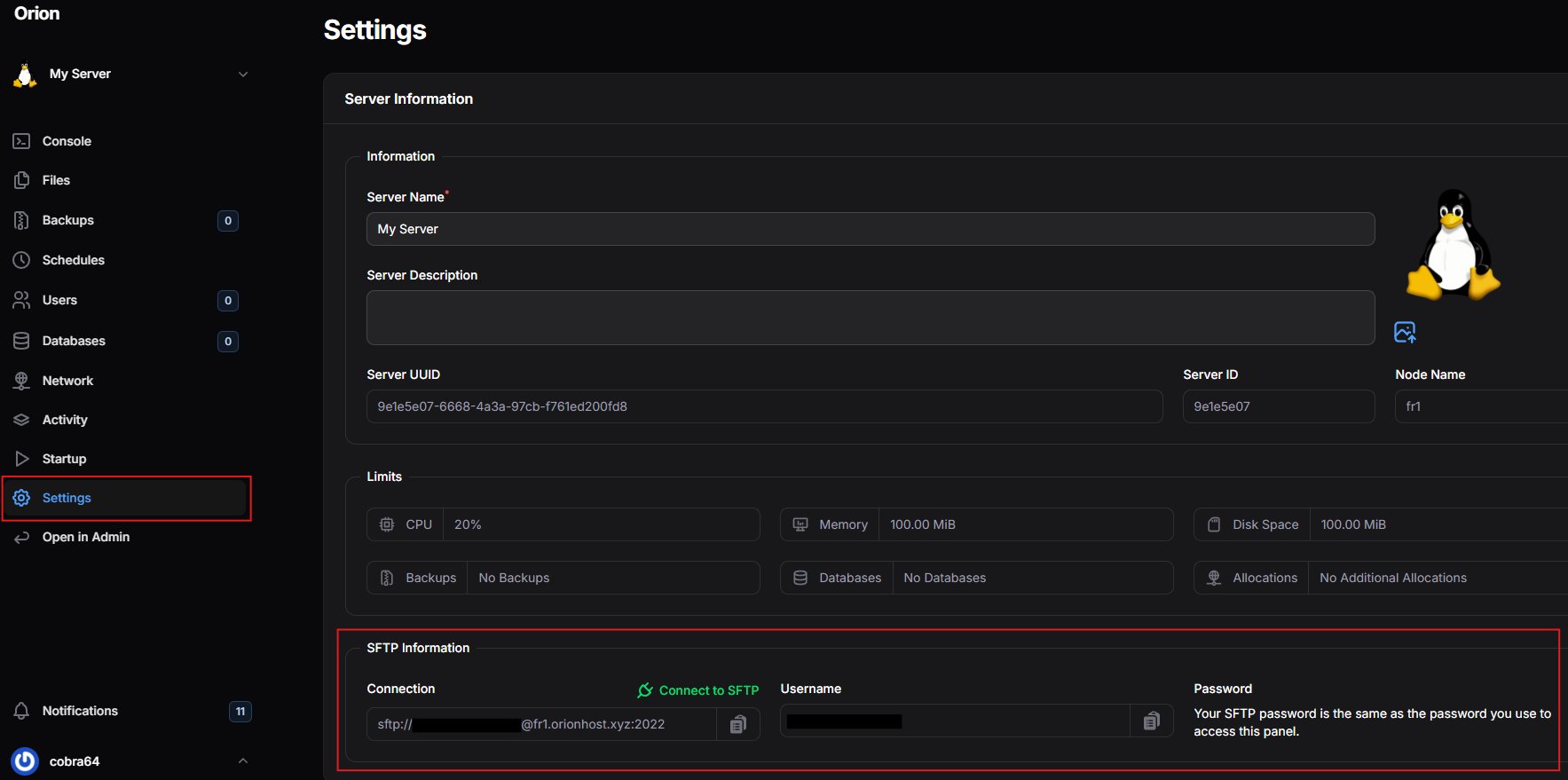
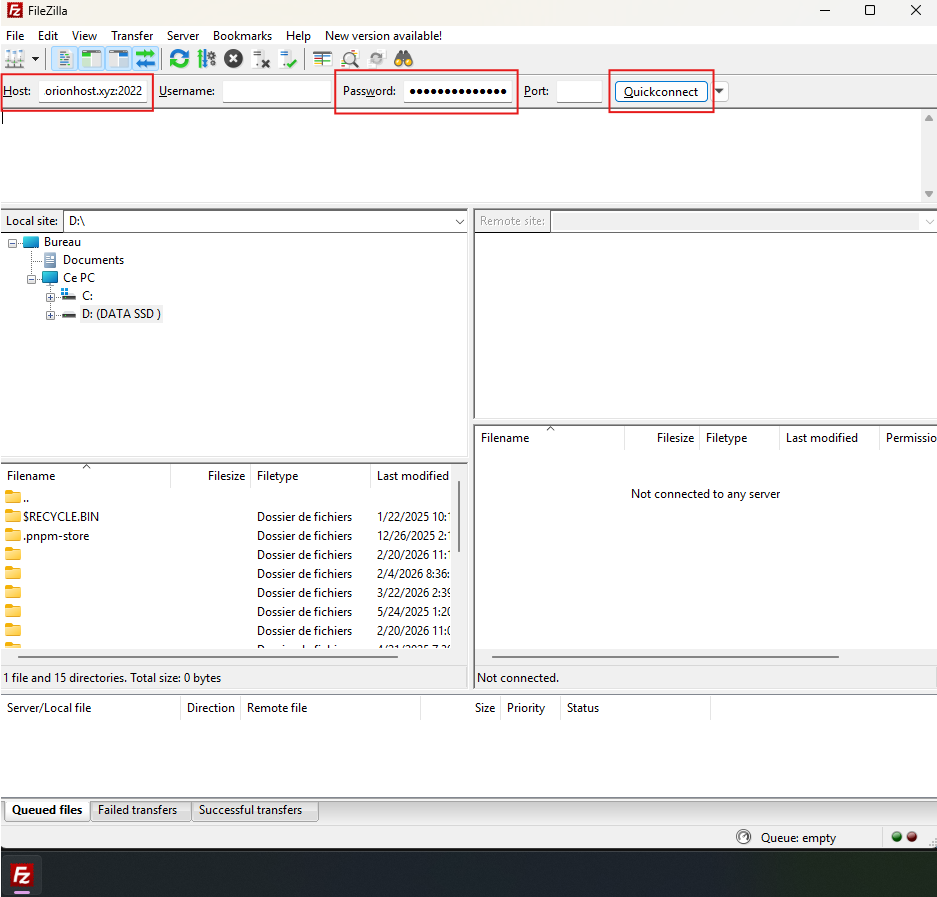
Open FileZilla, then enter these values:
| Field | Value |
|---|---|
Host | The Connection link obtained from the server settings |
Password | Your account password (the one in Credentials) |
Then click Quickconnect to connect.
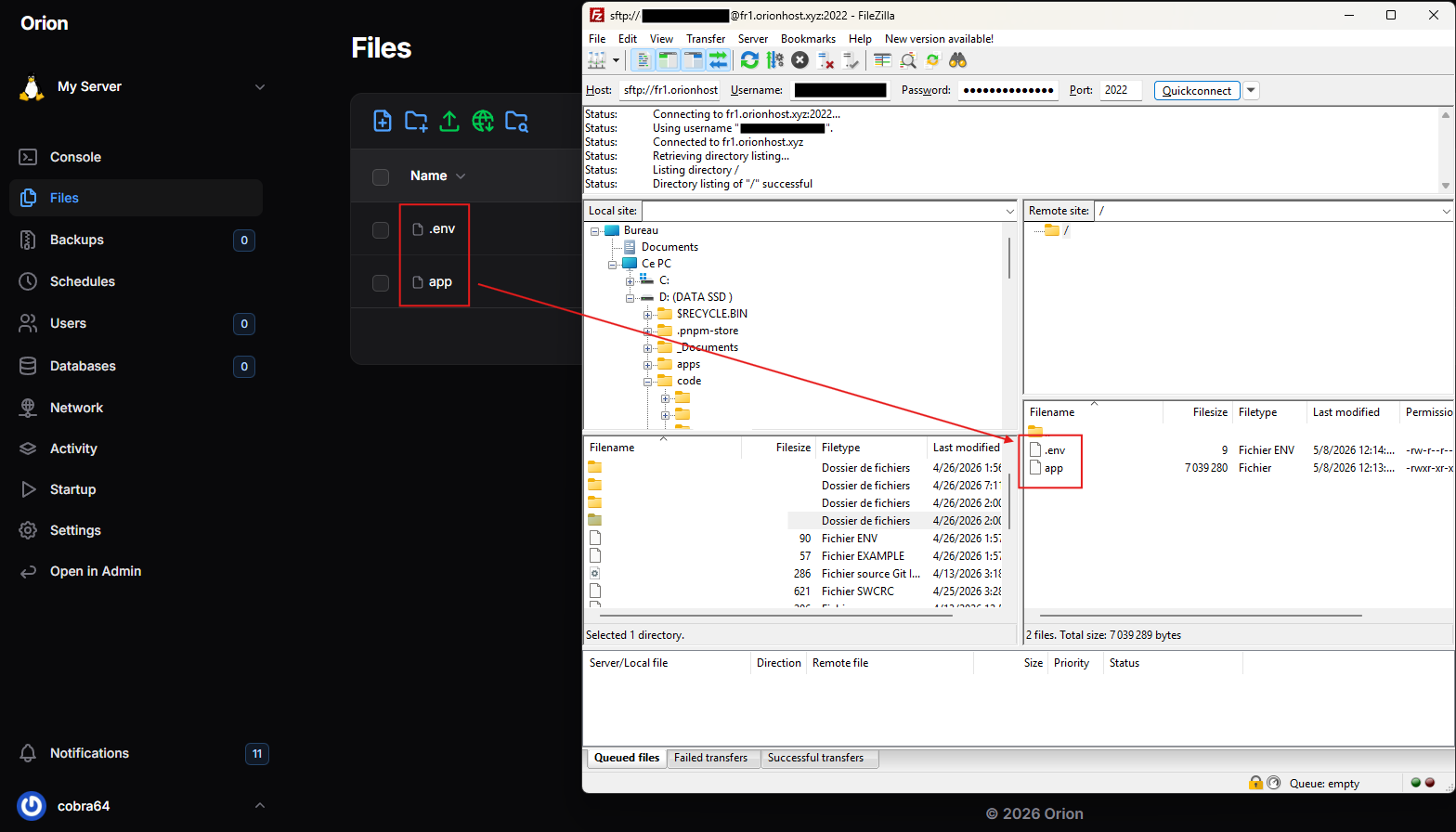
Once connected, you can see the server files in the right section of FileZilla.
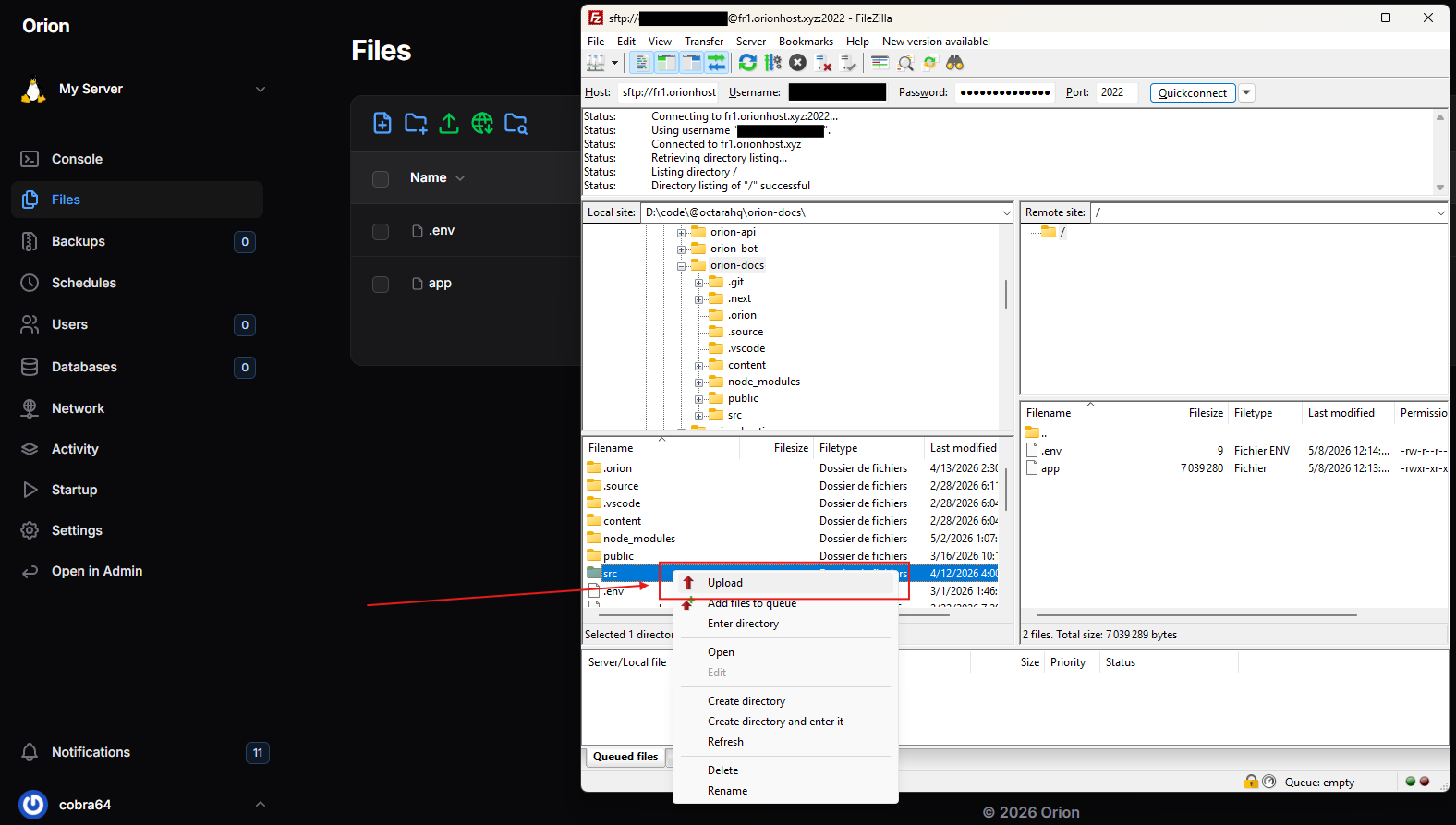
The left section of FileZilla contains the files on your computer. Select the ones you want to transfer, then right-click > Upload.
Reload the web page to refresh the file list and verify that your files have been transferred successfully.