Custom Domain
Learn how to link a custom domain to your server
Link a Domain
It is possible to link one or more domains to your server.
Configuration
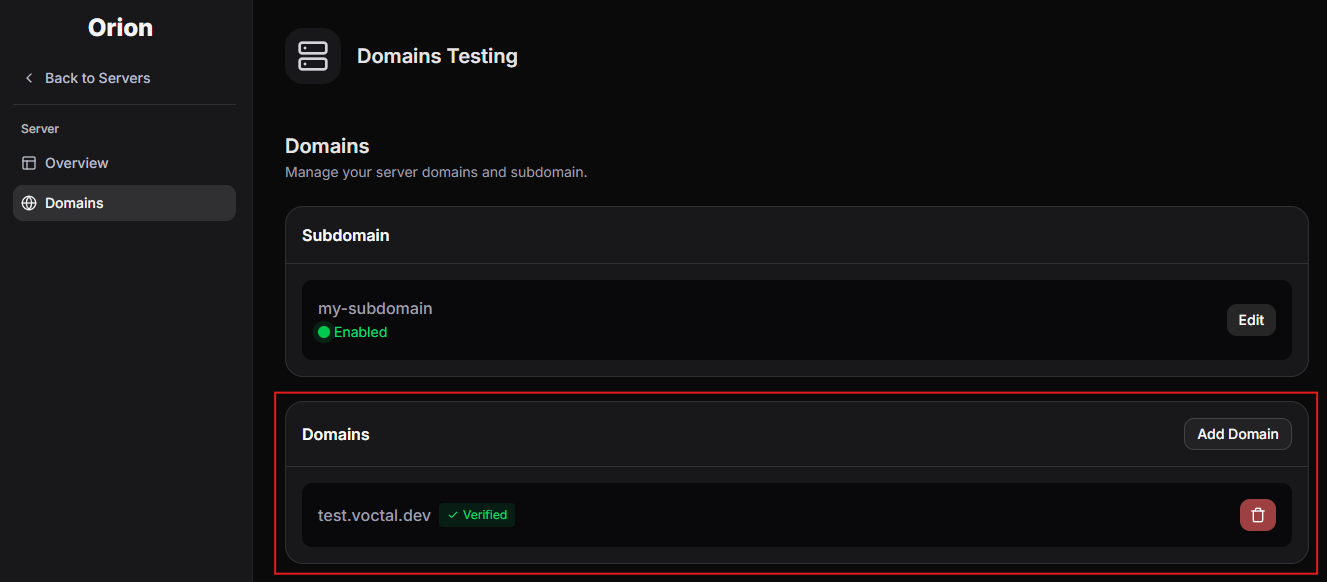
To link your domain, go to your server's dashboard, then to the Domains page. After adding a domain, you will be asked to verify it, follow the instructions provided.
Linking via port rewriting
This guide will explain how to link your domain to your server, using an alternative method that involves rewriting the port of requests. No modifications to the dashboard are necessary.
Prerequisites
- This guide is intended for domains whose DNS is managed by Cloudflare
- Cloudflare's free tier is sufficient
Guide
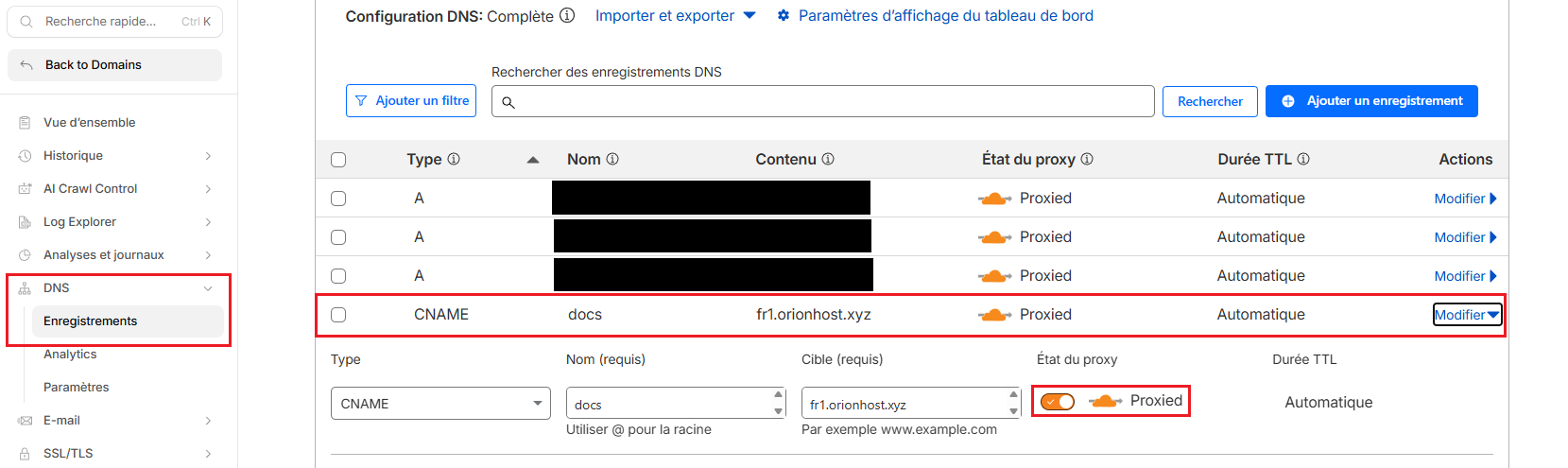
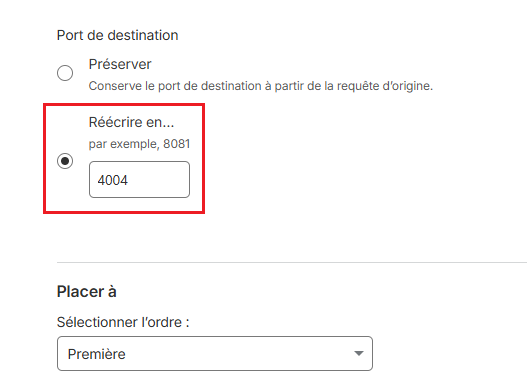
In this example, we're configuring the subdomain docs.ptarmigan.xyz to be proxied to port 4004 of fr1.orionhost.xyz. Follow these steps, modifying the domain/port with your desired values.
Add the CNAME record in DNS
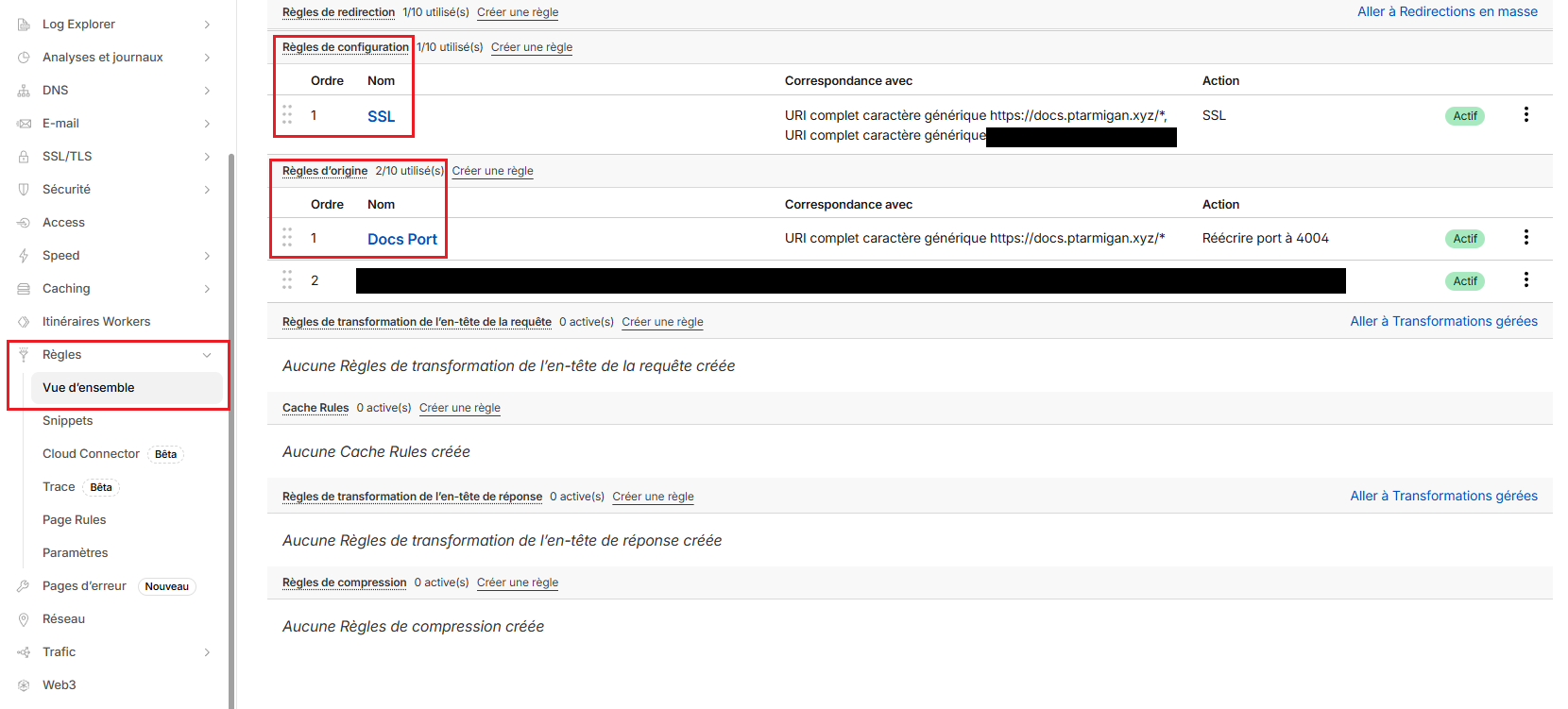
Go to Rules. We will add 2 rules:
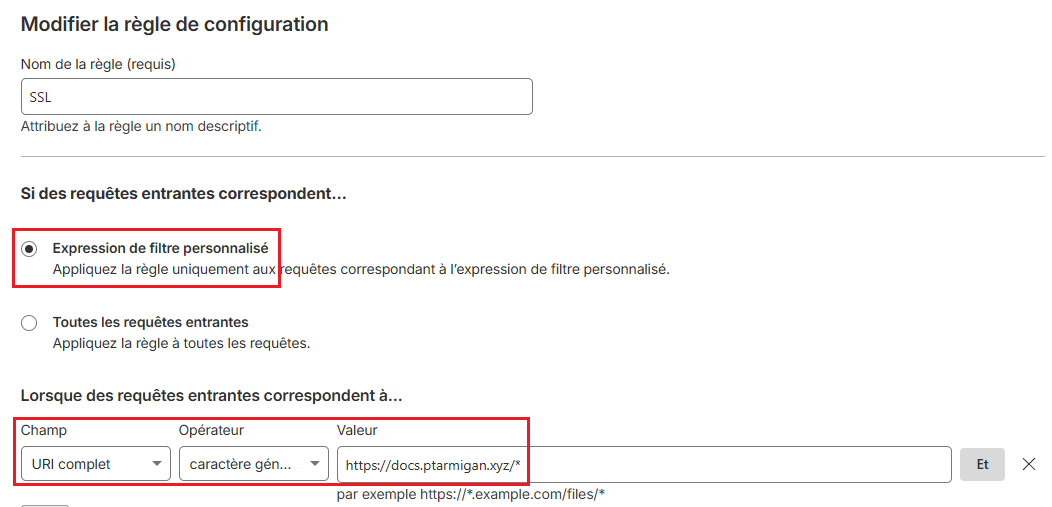
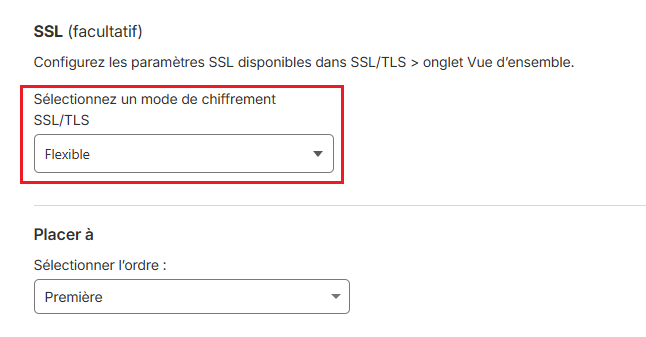
- A configuration rule to add SSL
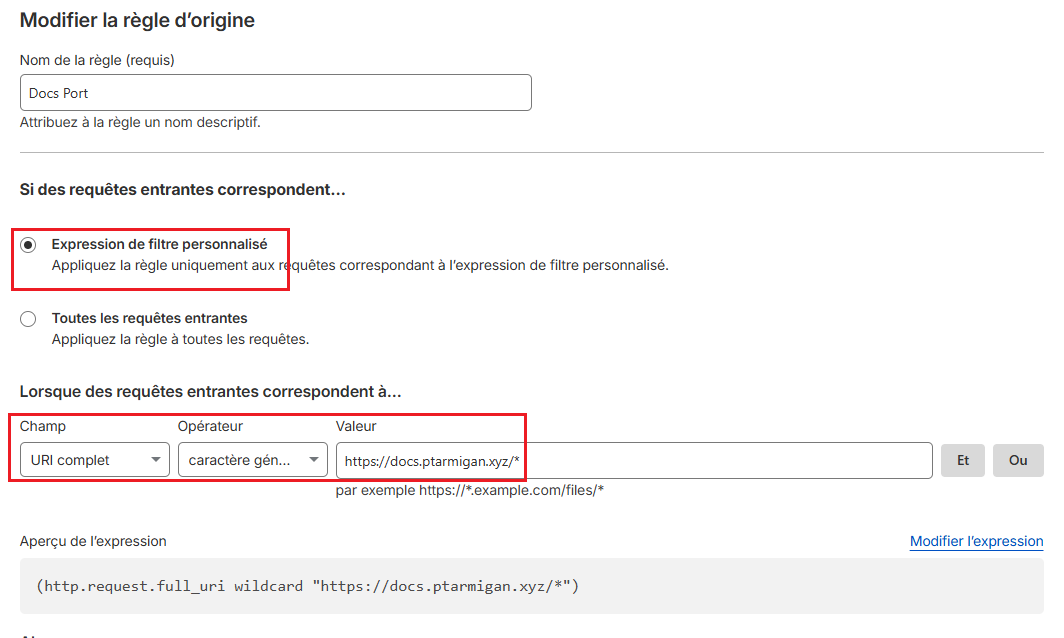
- An origin rule to rewrite the port
Create the configuration rule and configure it like this:
Create the origin rule and configure it like this:
Your domain is now linked to the server!